

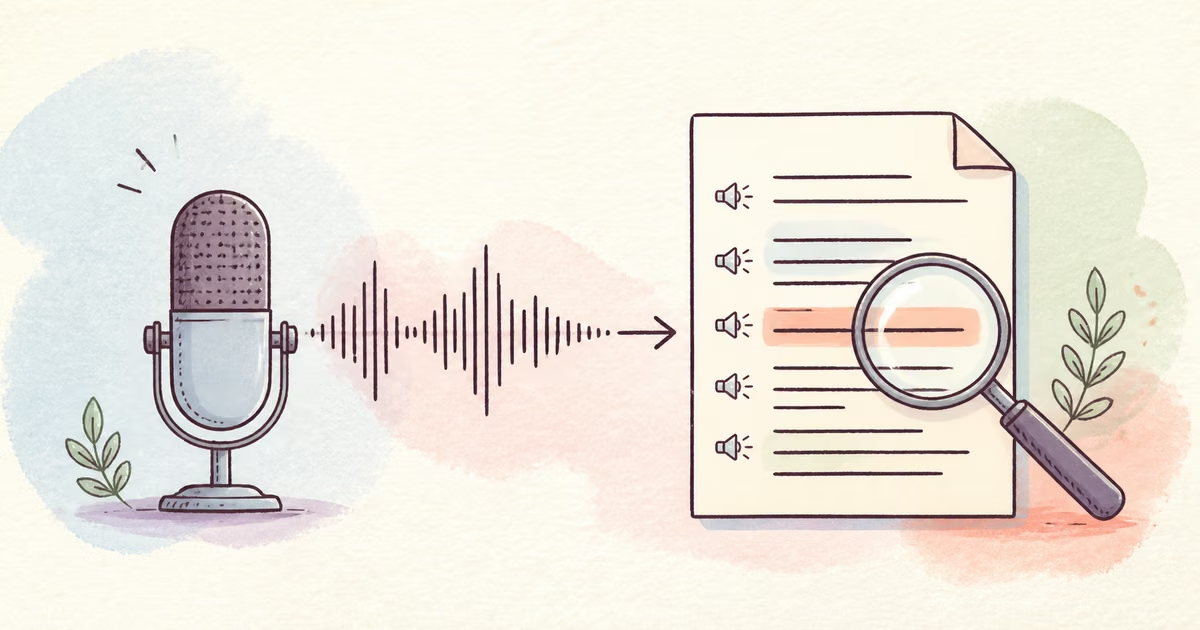
To improve audio for transcription, start with the original recording, test a difficult 30- to 60-second passage, and compare transcript errors before and after cleanup. Use the cleaned file only when it reduces important corrections without removing words or changing the speaker’s voice. Noise removal does not always improve every speech recognizer.
The correct target is fewer transcript errors, not audio that only sounds more polished.
Quick Answer
Keep the original file. Choose a passage with the quietest speaker, background noise, names, numbers, and a speaker change. Create one cleaned preview. Transcribe the original passage and the cleaned passage with the same settings. Count important errors. Use the version that gives the more accurate text, and verify critical quotes against the original audio.
Use an A/B test, not an assumption
Speech recognition systems do not all respond to preprocessing in the same way. Google Cloud’s current Speech-to-Text best practices recommend a close microphone, low background noise, and no clipping. The same page also warns that noise-reduction processing can reduce accuracy for its recognizer.
This does not mean cleanup is always harmful. It means you must test the actual file with the actual transcription system.
| Test result | Decision |
|---|---|
| Cleaned text has fewer name, number, and word errors | Use the cleaned file for the full transcription |
| Both texts have similar errors | Use the original or the simpler workflow |
| Cleaned text loses quiet words | Use the original or a lighter process |
| One speaker improves and another gets worse | Split or review by speaker if possible |
| Neither version captures critical speech | Find another source or transcribe manually |
Build a representative test passage
Do not test the easiest introduction. Choose the section that predicts the real correction work.
Include these elements when possible:
- The quietest speaker
- Normal background noise
- A name, place, product, or acronym
- At least one number
- A short answer such as “yes” or “no”
- A speaker change
- A word near a noise event
- A complete sentence before and after the hard moment
A 30- to 60-second sample is usually enough for a first decision. Use a longer sample when noise or speakers change across the file.
A transcription preparation workflow
- Keep the untouched original file.
- Copy the file and give both versions clear names.
- Select a representative test passage.
- Upload the source to SoundClean.
- Generate a cleaned preview.
- Transcribe the original and cleaned passages with the same service and settings.
- Compare important errors, not only the total word count.
- Process the full file only when the cleaned sample wins.
- Review the final transcript against the source for critical content.
Use filenames such as interview-original.m4a and interview-cleaned.m4a. Clear names prevent the processed copy from silently replacing the source record.
Count errors that matter
Not every transcript error has the same cost. A missing filler word can be minor. A changed amount, date, dose, address, or quotation can be serious in the context of the work.
Compare these categories:
- Names and proper nouns
- Numbers and dates
- Negations such as “not”
- Short replies
- Speaker labels
- Technical terms and acronyms
- Words next to noise events
- Overlapping speech
Use manual review for any high-risk content. Audio cleanup and automatic transcription are aids. They do not replace source verification.
Improve the source before you process it
Use the earliest and least-compressed file that you have. Do not transcribe a screen recording of a meeting playback when the platform offers an original recording. Do not extract audio from a reposted social video when the camera file exists.
Google’s guidance recommends sending the native sampling rate instead of resampling only to reach a target value. It also notes that converting a lossy recording does not restore the original detail. A WAV copy of an MP3 still contains the information limits of the MP3 source.
When a service supports the original file, use it. Make one conversion only when the transcription service or cleanup tool requires a supported container.
Noise, echo, and speaker distance
Different defects need different treatment.
- For a steady fan, hum, or general noise, use Remove Background Noise from Audio Online.
- For a hollow room or repeated reflections, use Remove Echo from Audio Online.
- For a mobile message, use Clean WhatsApp Voice Notes.
- For a formal interview, use Clean Interview Audio.
A distant microphone is often the hardest problem. The recording contains more room and less direct voice. Cleanup can improve the balance, but it cannot create a close microphone signal that was never captured.
Meetings and multi-speaker recordings
Meetings need more than one quality check. A process that improves the loud host can remove the quiet guest.
Test:
- The first and last speaker
- The quietest participant
- A remote participant with a weak connection
- A section after screen sharing begins
- One interruption or overlap
- A name and a number from the discussion
Use the original meeting export. The guides to Clean Zoom Meeting Audio and Clean Google Meet Recording Audio explain the archive and listening-copy split.
Troubleshooting a worse cleaned transcript
If the cleaned transcript loses quiet words, return to the original. The process may have treated them as noise. If consonants change, listen for metallic or watery artifacts in the preview.
If only proper nouns remain wrong, noise may not be the main problem. Use vocabulary or phrase-hint controls when the transcription system provides them. Confirm the correct language and model settings. If speakers overlap, manual review or separate microphone channels can be more effective than stronger cleanup.
If both versions fail on the same word, check another source. A local participant track, camera microphone, or backup recorder can contain the missing detail.
What cleanup cannot fix
Cleanup cannot reliably restore:
- Speech fully covered by another voice
- Words replaced by wind or handling noise
- Severe clipping
- Missing network audio
- Incorrect language or model settings
- Unknown names without enough acoustic or language context
The original Whisper research paper describes a model trained on 680,000 hours of multilingual and multitask supervision. Large and varied training data can improve robustness, but no recognizer can recover speech information that is absent from the file.
Record better audio for future transcripts
- Move the microphone close to each speaker.
- Prevent clipping with a loud test sentence.
- Use separate channels or local tracks when available.
- Reduce room echo with a closer mic and soft surfaces.
- Stop fans and appliances during critical sections.
- Record a short test and transcribe it before a long session.
- Ask speakers to repeat names and numbers.
- Keep a backup recording for important work.
These steps reduce both cleanup risk and transcript correction time.
Related reading
- Clean WhatsApp Voice Notes
- Clean Interview Audio
- Remove Echo from Audio Online
- Remove Background Noise from Video Online
FAQ
Does noise removal always improve transcription?
No. Some recognizers handle raw noise well, and strong preprocessing can remove speech detail. Compare the same passage from the original and cleaned files.
What section should I test before a full transcription?
Use 30 to 60 seconds with the quietest speaker, background noise, names, numbers, and at least one speaker change.
Should I convert MP3 or M4A to WAV before transcription?
Do not convert only to make the filename look lossless. Conversion cannot restore detail already lost in a compressed source. Use the original file when the transcription service supports it.
Should I keep the original audio after cleanup?
Yes. Keep it for quote checks, audit, research integrity, and a second processing attempt. Use the version with fewer important transcript errors.
Try a cleaned transcription sample
Upload a representative passage to SoundClean. Compare the original and cleaned transcripts with the same settings. Process the full file only when the cleaned version needs fewer important corrections.